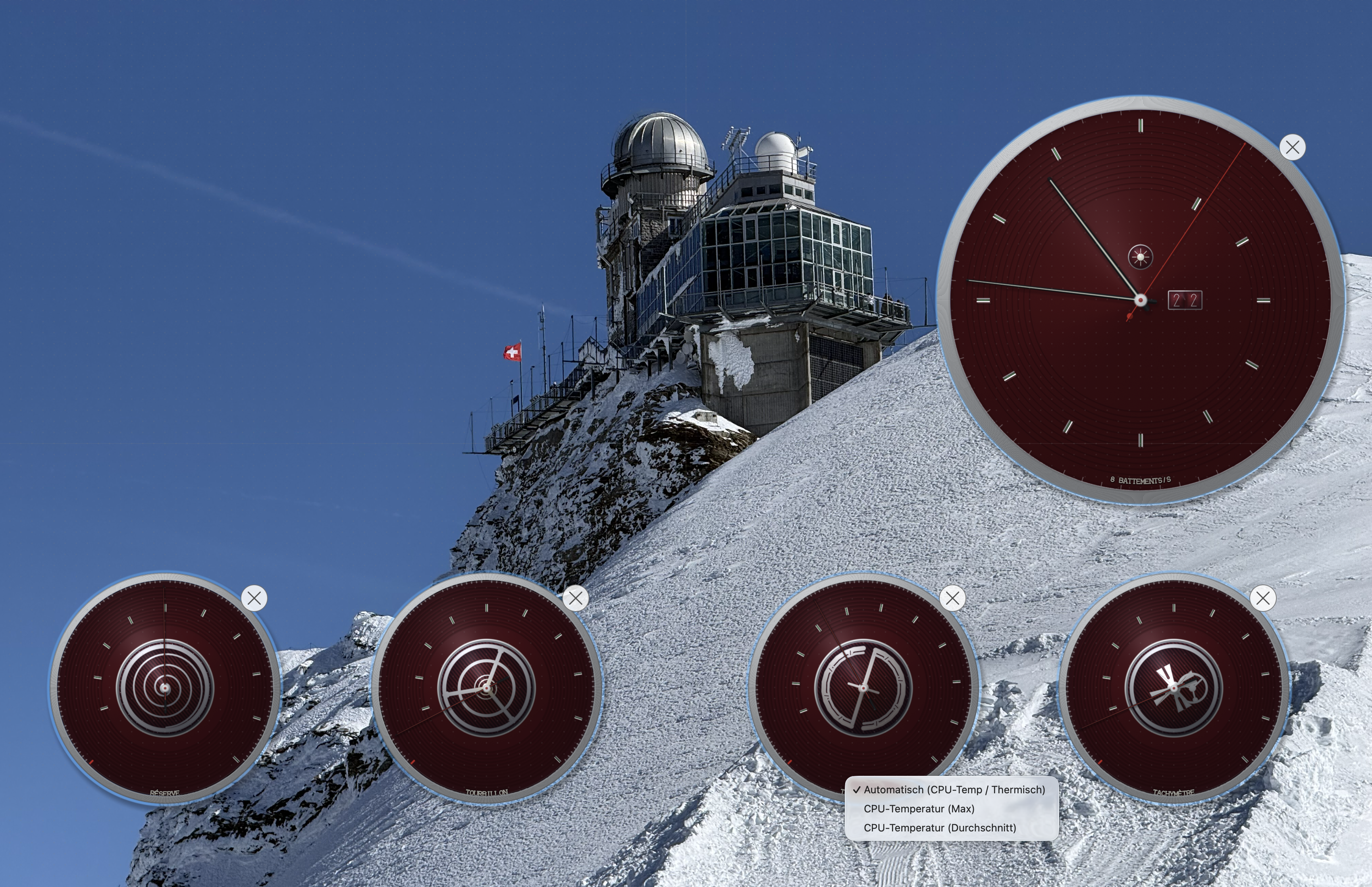
An analog clock that sits right on your wallpaper — with four animated dials showing CPU, memory, GPU, and temperature in real time.
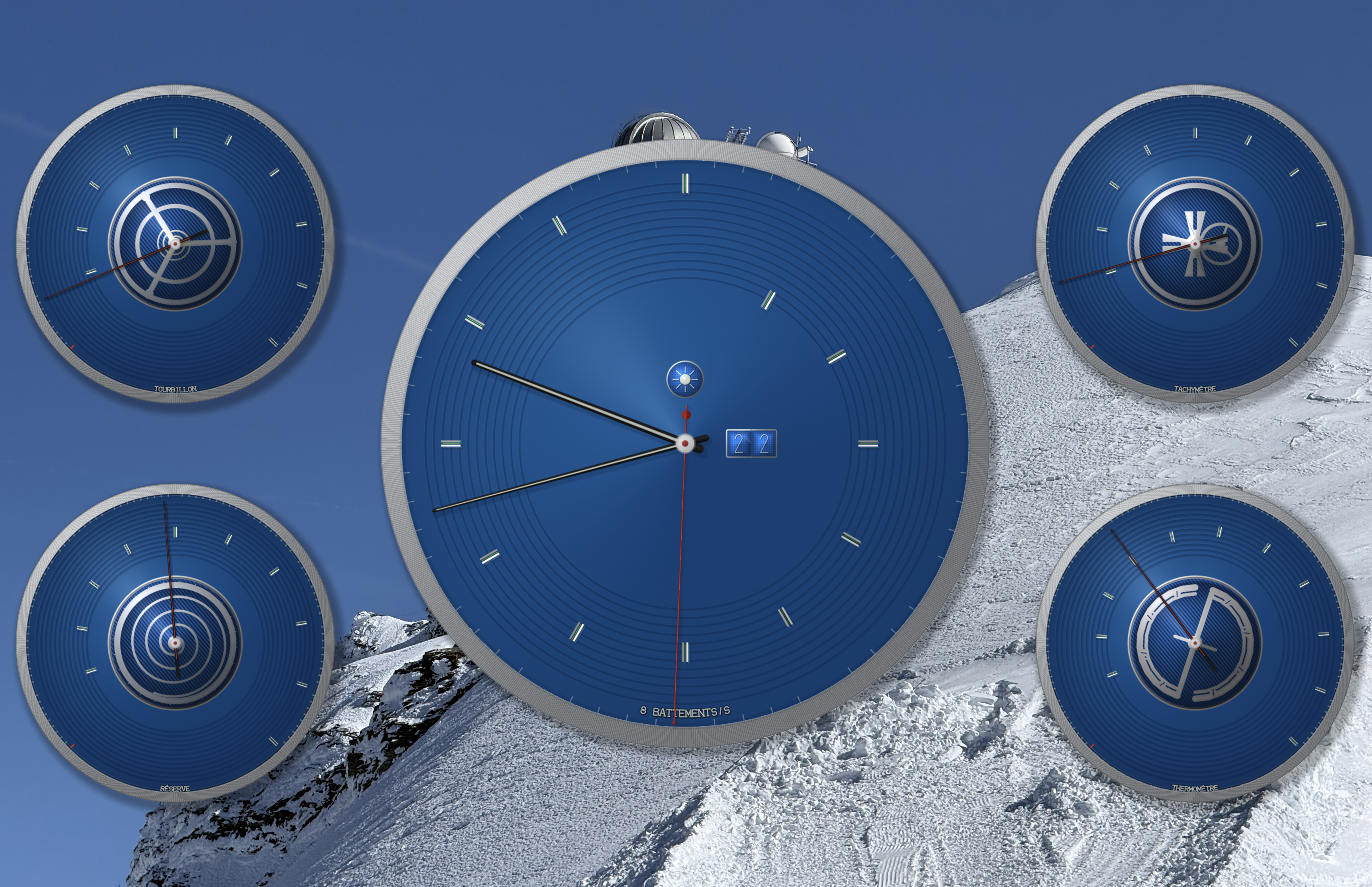
Classic Blue dial with four live system metric complications
Live preview — four animated dials responding to real system activity
ChronoMetrics places a beautiful Swiss-style clock directly on your desktop wallpaper. Four smaller dials around the main clock face each animate in response to a different system metric — so you always know how hard your Mac is working, without opening a single window. And it uses so little energy you'll never notice it's there.
Each dial is a tiny mechanical animation that responds to what your Mac is doing right now. No numbers to read — just watch the motion.
A spinning cage that oscillates wider as your processor works harder. Calm when idle, alive under load.
Shows GPU utilization with the free Sensor Helper, or network throughput without it. The Maltese cross clicks faster with higher activity.
A coiled spring that unwinds as your RAM fills up — like a watch running low on power.
A balance that expands and changes color from silver to copper as your Mac heats up.
Choose from ten curated dial colors — Classic Blue, Anthracite, Midnight, Racing Green, Burgundy, Slate, Champagne, Arctic, Copper, or Noir. Each has hand-tuned light and dark variants that follow your macOS appearance automatically.
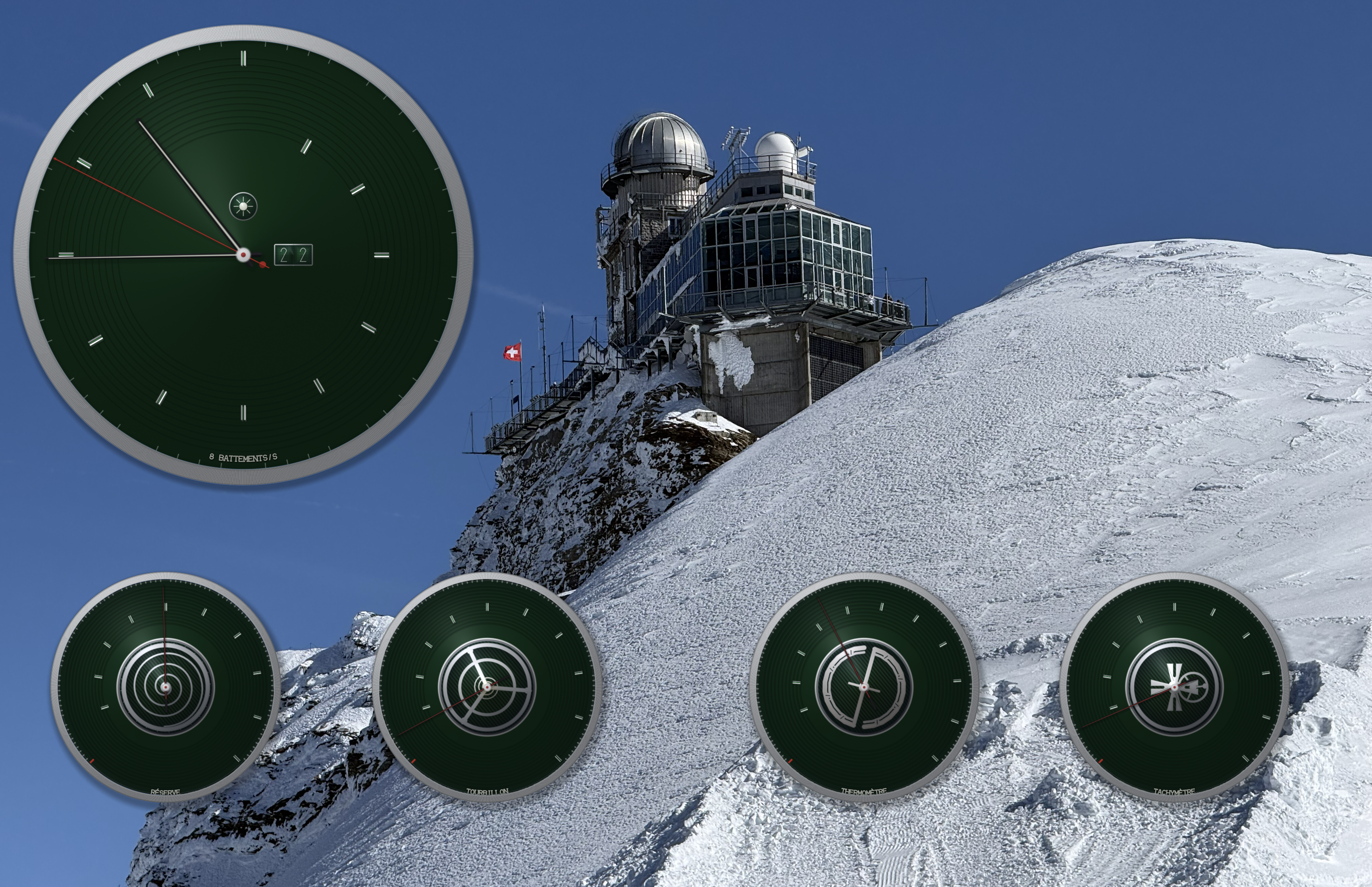
Racing Green — one of ten curated color themes
Drag, resize, and position every dial independently. Multi-display support means every screen gets its own clock.
Right-click any dial to change its metric or visibility
Every hand, bezel, and jewel is mathematically drawn in real time. No static images — it's all live geometry.
Reflections and shadows shift throughout the day, just like on a real watch face.
A dual-window date complication with individual digit wheels that turn at midnight.
Got multiple screens? Each one gets its own clock, independently arranged.
Move any dial anywhere. Resize it. Snap it to a grid. Make the layout yours.
Uses less energy than a screensaver. You won't see it in Activity Monitor or your battery life.
A subtle pixel-shift runs continuously to prevent burn-in on modern displays — invisible to the eye, kind to your panel.
Available on the Mac App Store for macOS 13 or later.
Download on the Mac App StoreWant real CPU temperature and GPU stats? The free Sensor Helper add-on reads directly from your hardware sensors.
Questions? Reach us at [email protected]